Flipbook Ideas
Incredibly inspiring flip book ideas with examples for your next online publication. Amaze your audience with uses, effects, and interactions you haven't thought of before.
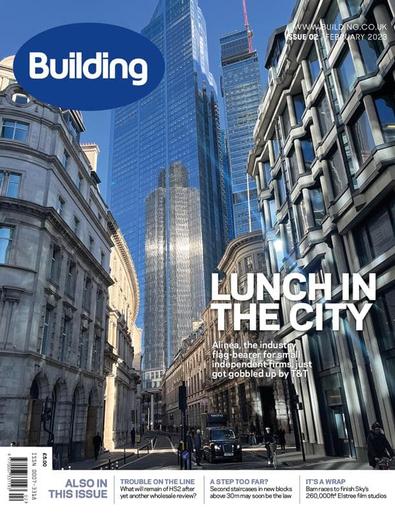
A realistic online magazine
A realistic online magazine
Magazines are great and online magazines are awesome, but there are better ways to make it stand out on the internet than a PDF. Convert it into a flipbook and keep the page-turn feeling. Add links for your readers to go quickly to the different topics. Have you added an interview? Don’t just stop with the text, add the audio or the video interview to the page. You only need to leave some space so you can add the video on the flipbook editor.
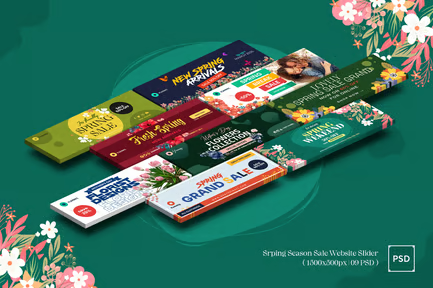
An online product catalog
An online product catalog
Working on marketing, you usually have document assets to print a catalog or to show all the products in a single place. Repurpose your content and make a flipbook out of it easily and really fast. Then add links to your online store or shopping cart to allow them to buy your products in no time.
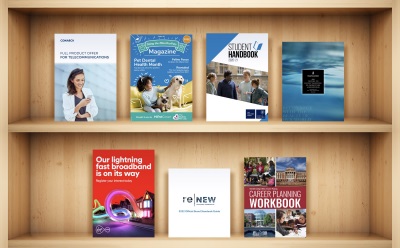
A brand style guide
A brand style guide
You’ve spent weeks, if not months, creating your customer’s brand identity. The perfect logo for every support, great typography, and many photos and illustrations. With all that effort into style and design, presenting it to your customer as a flipbook is the most effortless yet effective task you will do. Just upload the document, add popups so they can easily see the smaller imagery on the document, and if the brand includes tunes or animations, add them too.
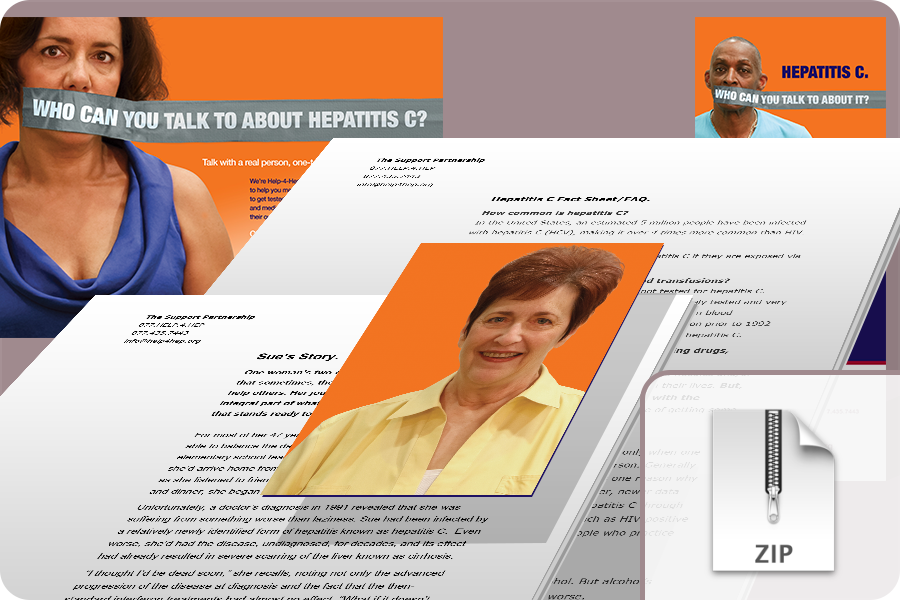
A real estate listing booklet with online tours
A real estate listing booklet with online tours
The real estate market has changed a lot in recent years. Most prospective buyers want to see as much as possible before visiting many different properties. A single picture is not enough anymore. You can now make your listing booklet interactive by adding virtual tours, video tours, maps, and photographs. You can even show them a form they can submit with the properties they liked the most or add a calendar to schedule the visit right away.

Presentations and slides
Presentations and slides
Let’s be honest, powerpoints and google slides look old, you can still use them to create the content, or you can use something more modern like Canva, but the best idea is to present it to your audience as a flip book. If you still prefer something classic like a page slide effect, you can do it with heyzine, and you will have a link to share with everyone easily. When you need to correct something or add more slides, do it, and everyone will see the last version. There is no need to send the document again. No matter if it’s public or private content, add user names and passwords to control who can access the publication.

A flash card with audio
A flash card with audio
A language academy or a teacher? Forget the audio files for your listening classes. You can use heyzine to create language flash cards. It’s an excellent way for students to practice their language skills in a fun and memorable way. Just create a simple document with the words or sentences you want them to learn, upload it to heyzine, and record audio with the pronunciation. Your students can practice by themselves before clicking the pictures or the text to correct and improve their speaking.

A book for preschool children
A book for preschool children
In this super creative book for preschoolers, teachers used heyzine flipbooks to add videos, animations and even puzzles to their educational content. The most fun way for children to learn by encouraging and bringing them closer to reading and books.
An online calling card
An online calling card
What if your calling card could show all your experience, skills, and successful projects? Not enough space? Well, more than enough if you make it with heyzine. Create your resume, add a video presentation and get the QR code to print it on your calling card. Your new contacts don’t have to wait to look for information about you on a computer, they can use their phone, and you can be sure they won’t forget you.

A brand booklet with a contact form
A brand booklet with a contact form
Whether you are a startup or an established company, a brand booklet is an essential part of a good marketing strategy. It will help your customers know what to expect from your company and how to contact you. Impress them with a brand booklet with a video and a popup form they can easily submit to get in touch with you.
A creative digital zine
A creative digital zine
Expose your creations, your opinions, your art, or yourself. In this example, the artists added a ton of gifs and creative videos that integrate very well with each page. It’s a great idea to make the animations seem fully integrated within the pages and not simply overlayed. The result is a zine that is not just a zine, it’s much more, it’s an experience.
An online wedding invitation
An online wedding invitation
What does the perfect wedding invitation need? The date: add a button so your guests can easily add it to their calendar. The place: add a google map to let them know how to get there. The emotions: add background audio, video, and pictures, so they get a sense of what’s to come. Invitations and confirmations are hard to manage by hand. Make it easier by adding a button for them to confirm they will assist.